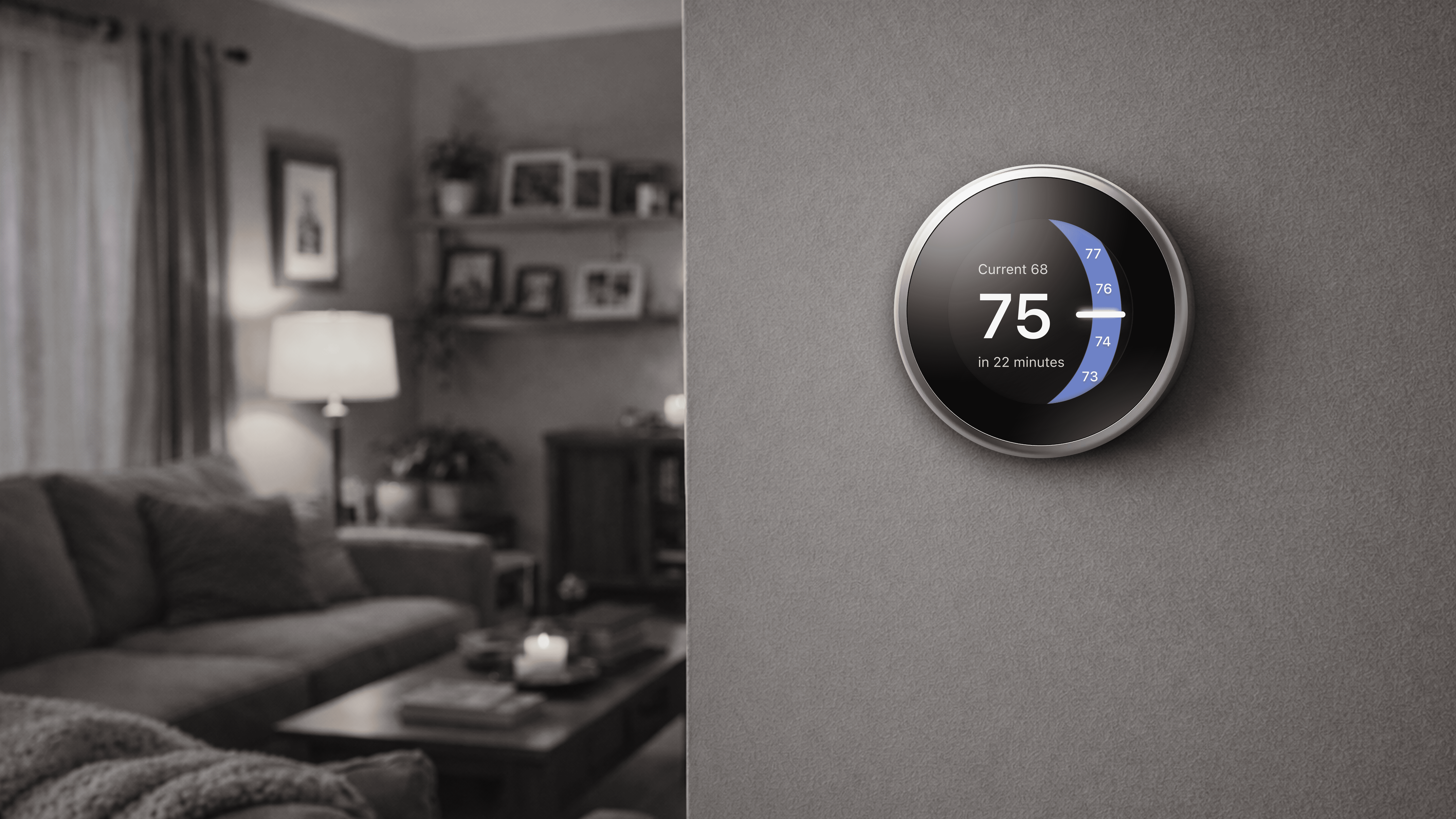
3rd Generation Google Nest Thermostat Redesign

3rd Generation Google Nest Thermostat Redesign

Role
UX Lead · Project Lead · User Research · UX Design · Prototyping · User Testing


Overview
In the U.S., 14% of households use smart thermostats, and 25% of those users choose Google Nest, making it one of the most widely adopted smart thermostat brands.

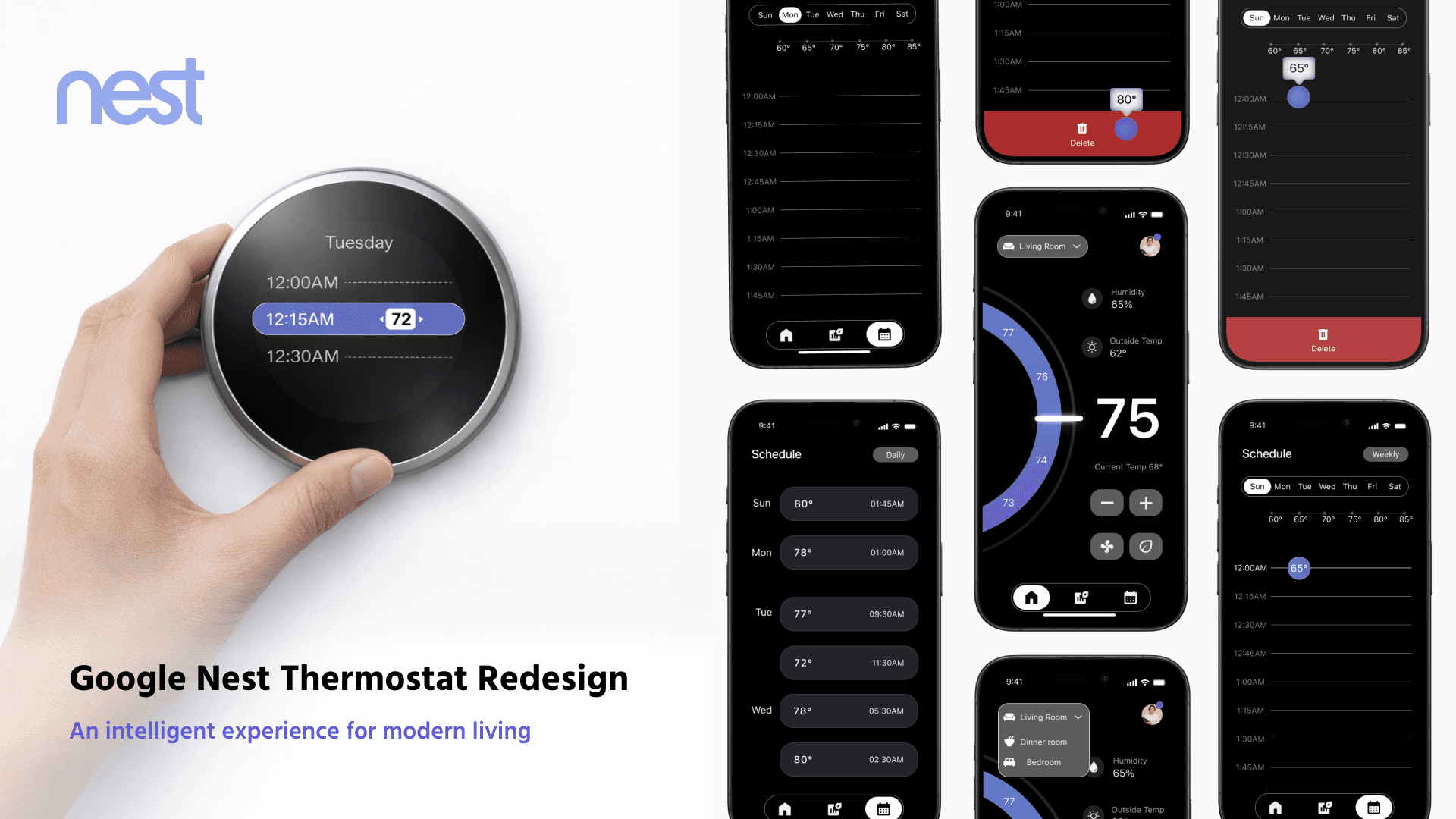
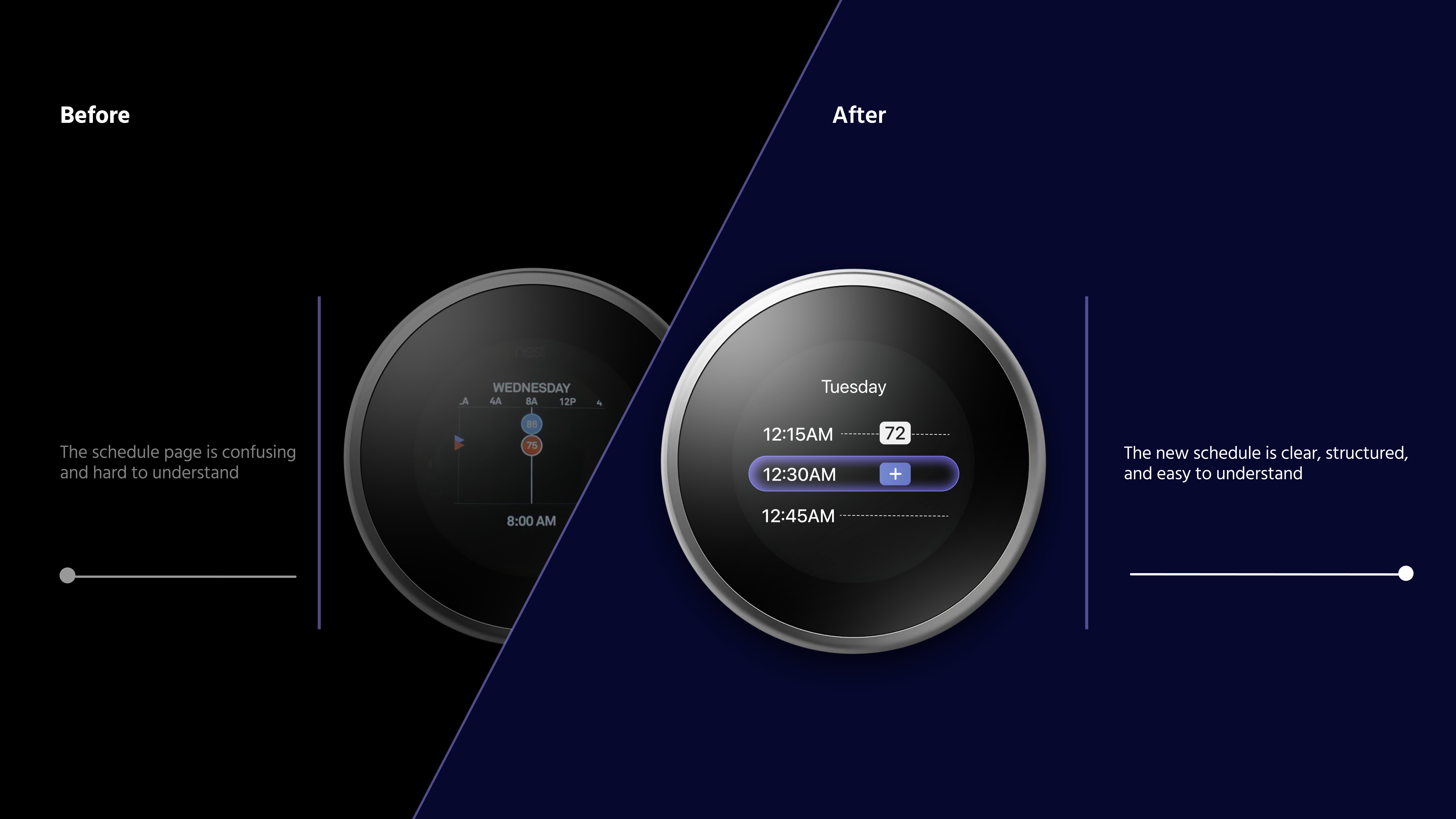
As the UX Lead, I led the end-to-end redesign of the 3rd Generation Nest Thermostat scheduling experience, transforming a fragmented and complex system into a more intuitive, premium, and design-forward solution.

Timeline
Sep.2025 - Nov. 2025


Team
Danica Liu
Chance Zhang
Junyan Sun
Ian Chen


Tools
Figma, After Effects, Photoshop

Problem Statement

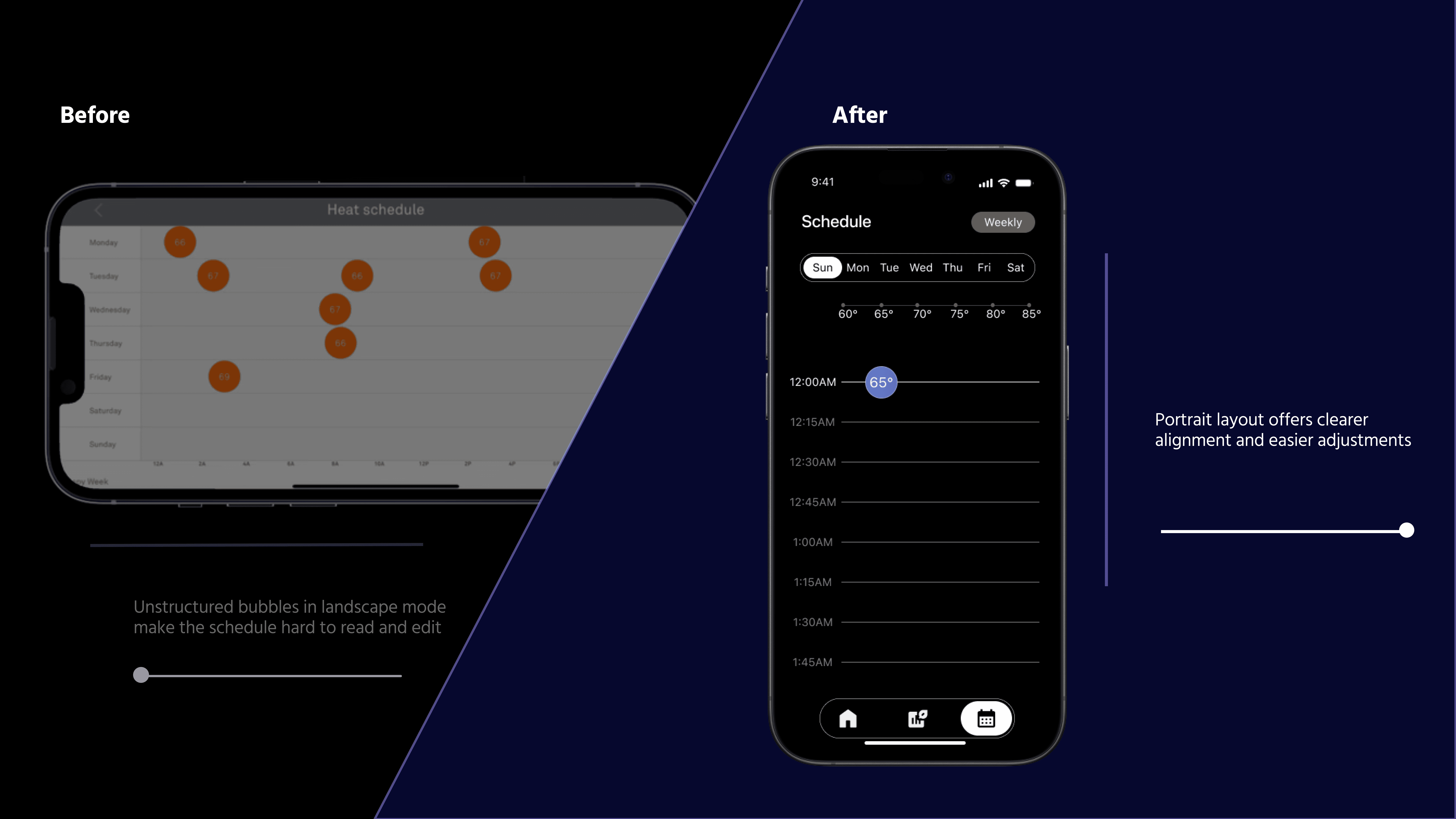
40–70% of Nest Thermostat (3rd Generation) users feel frustrated with scheduling and skip it because the interface is cumbersome.

Smart home devices are widely adopted, yet many users struggle with complex controls and rigid scheduling. Our research and observation identified key usability gaps that informed our redesign.

The challenge


Redesign a widely adopted smart thermostat within strict hardware constraints, transforming a fragmented scheduling system into a high-end, intuitive experience that feels effortless across both device and app:

  • 2.0" circular display (480×480, 229ppi), limiting information density and requiring strong visual hierarchy

  • Only three physical inputs (rotate left, rotate right, press), no touch or swipe

  • Fixed hardware form factor that cannot be altered through software

Rotate left

Press

Rotate right

The Goal

Simplify complex scheduling logic

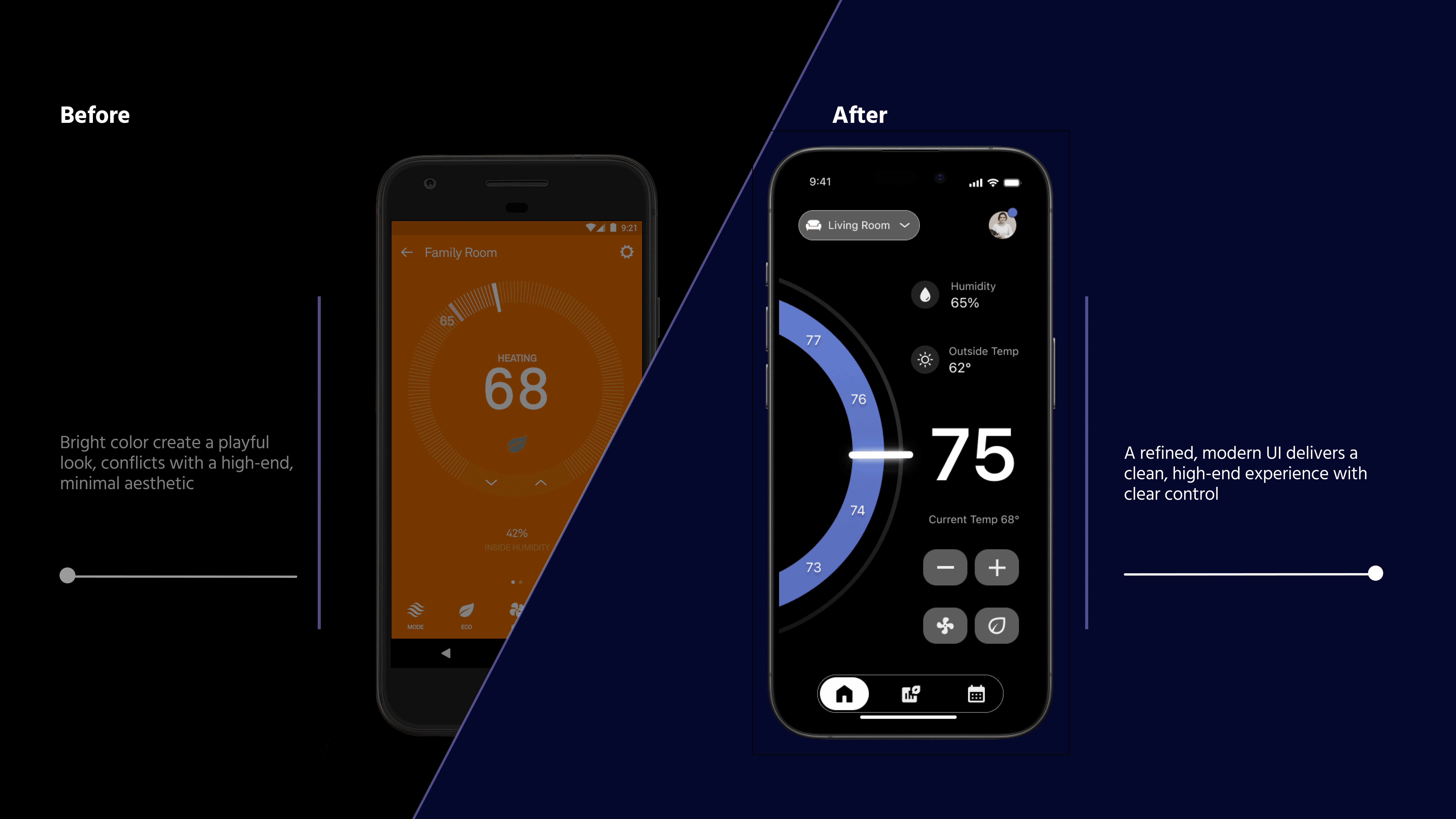
Modernize the visual language

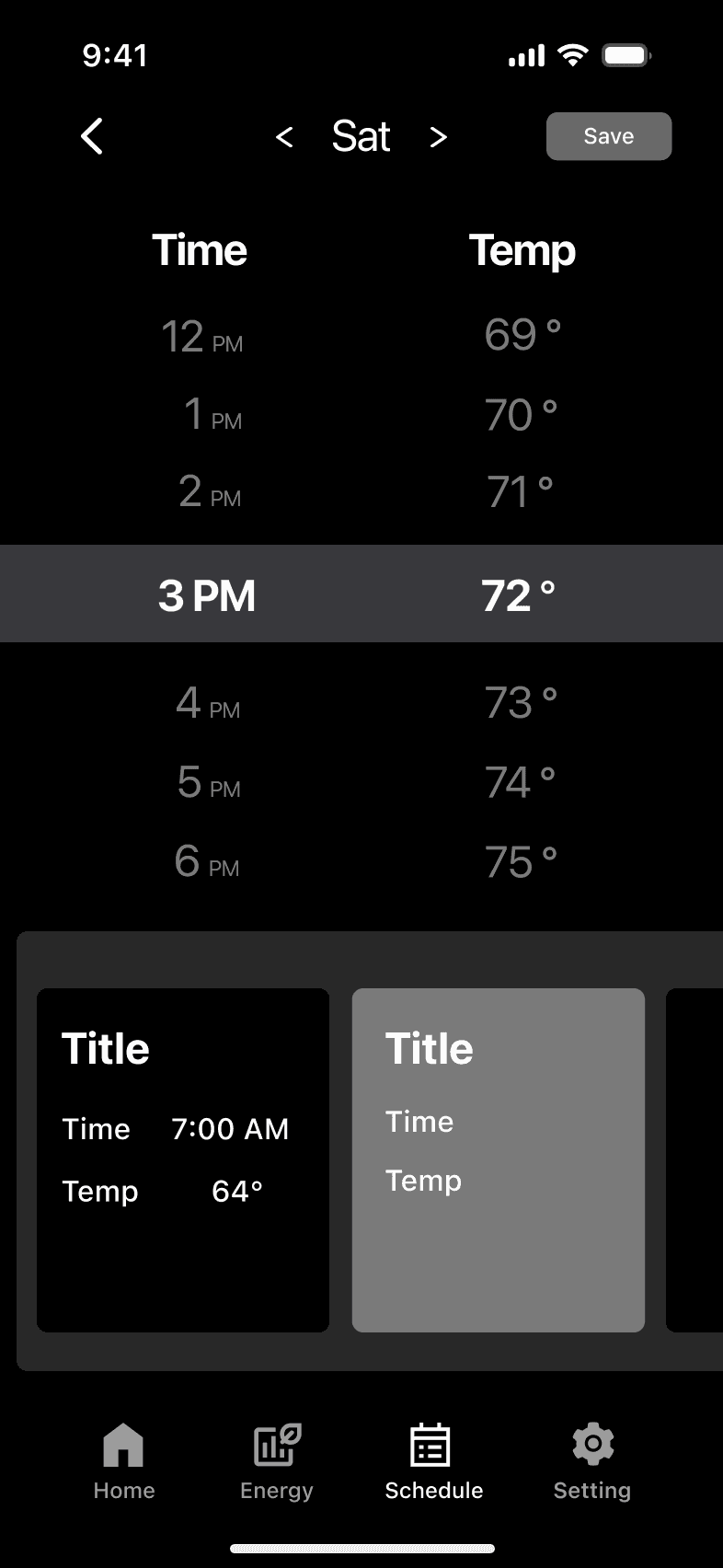
Create a cohesive experience across device and APP
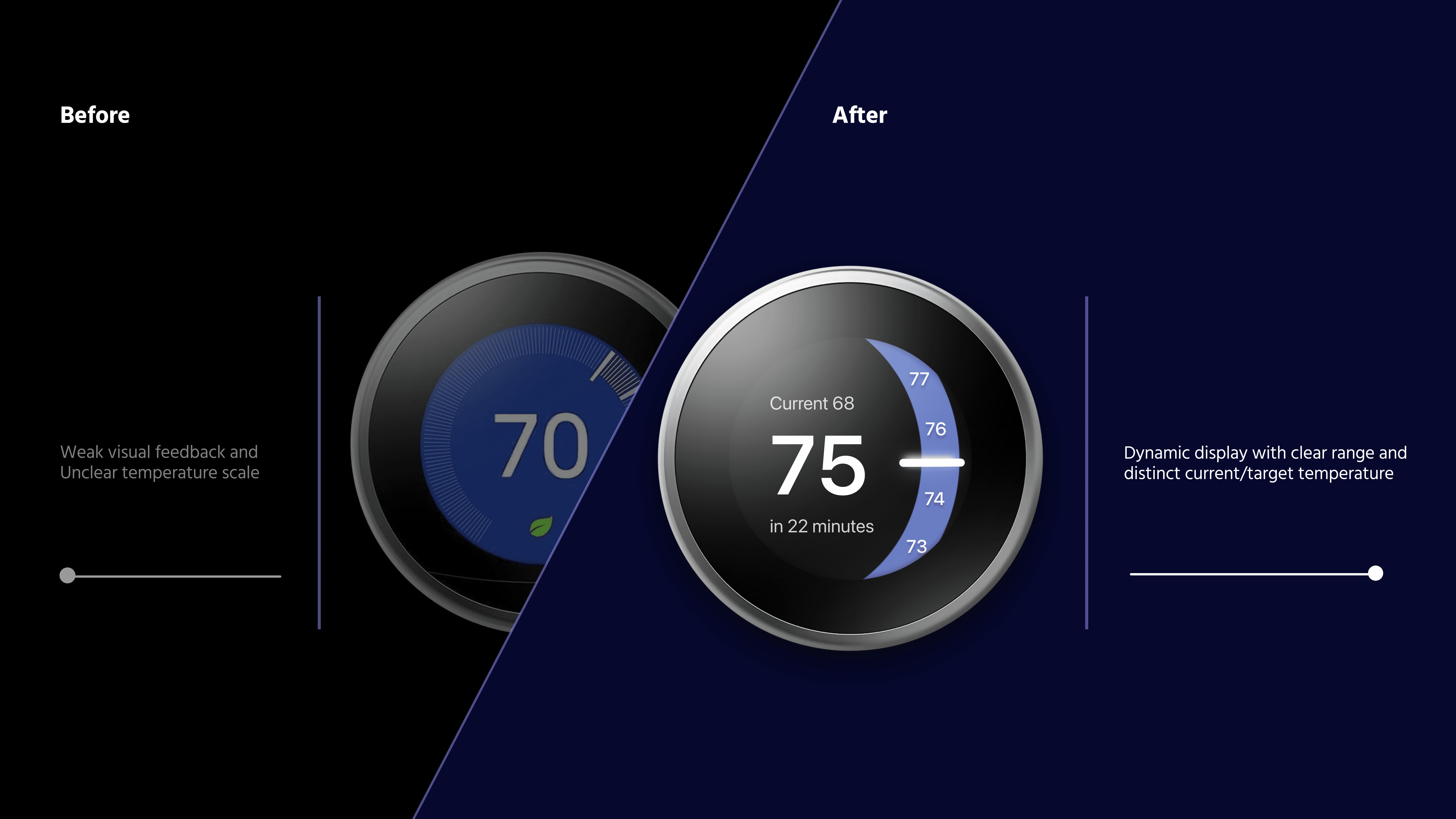
Thermostat

Refined Visual Identity


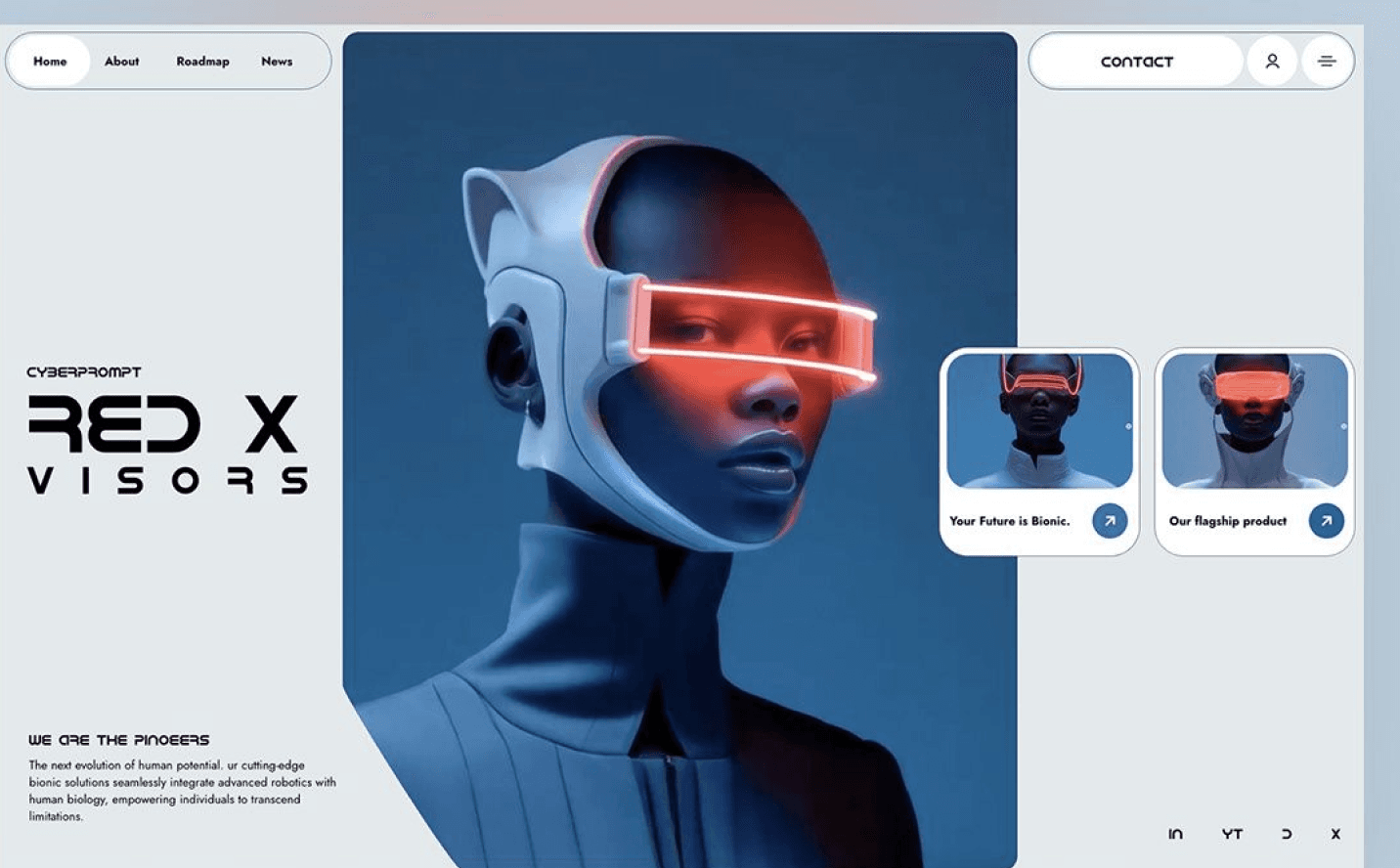
A refined style appeals to users who seek elegant, distinctive design through subtle visual hierarchy, restrained motion, and carefully considered details, creating an experience that feels polished, intentional, and premium.

Thermostat

Seamless Control


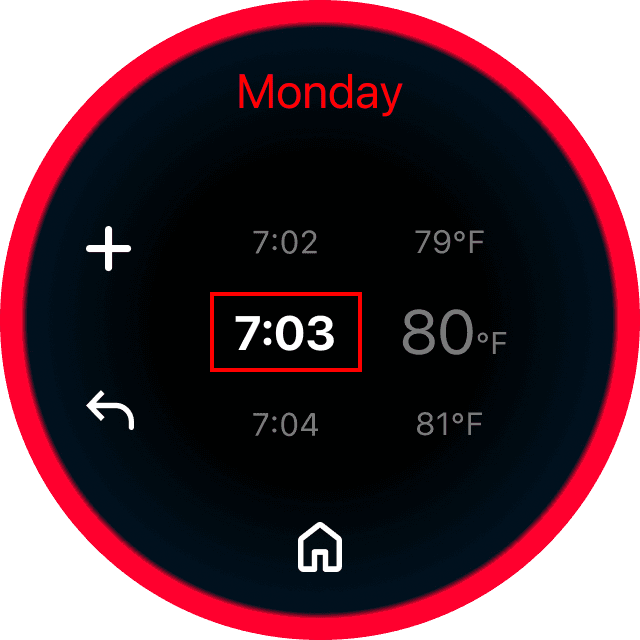
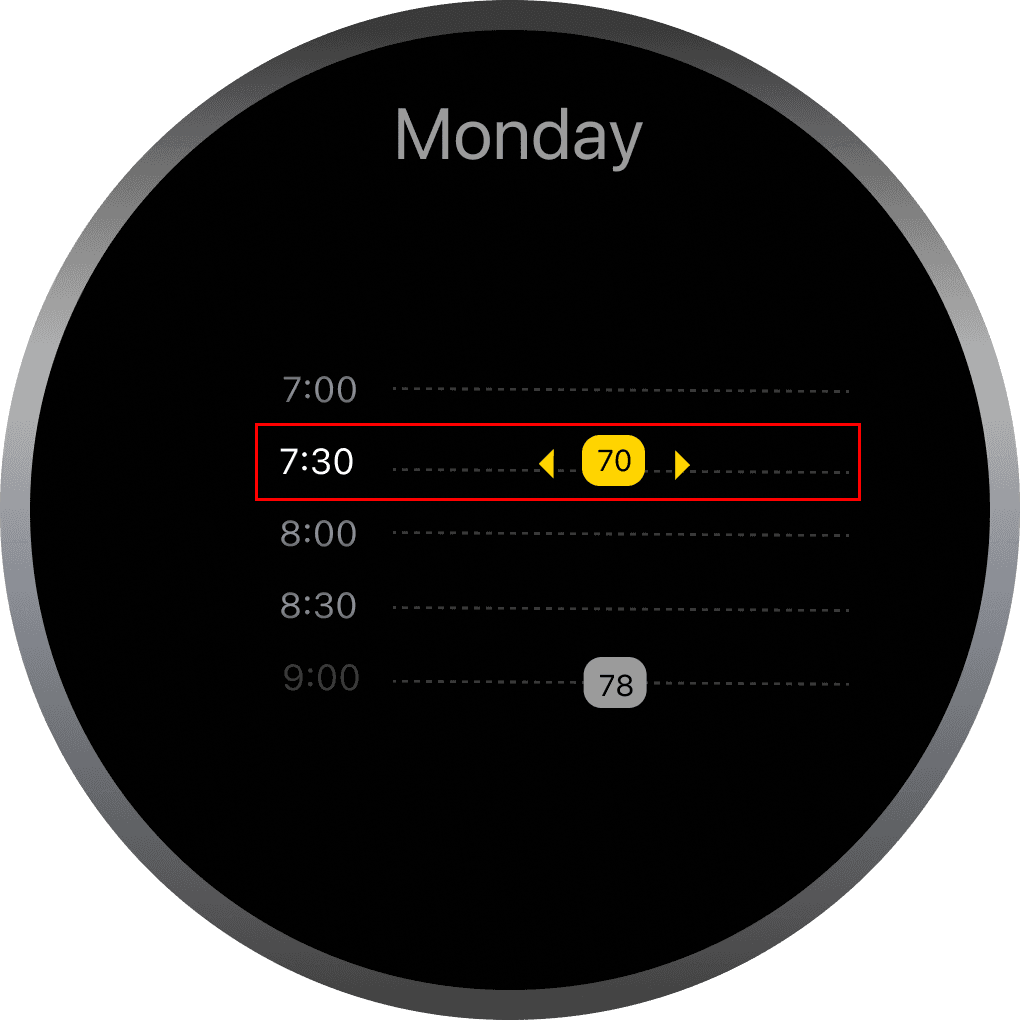
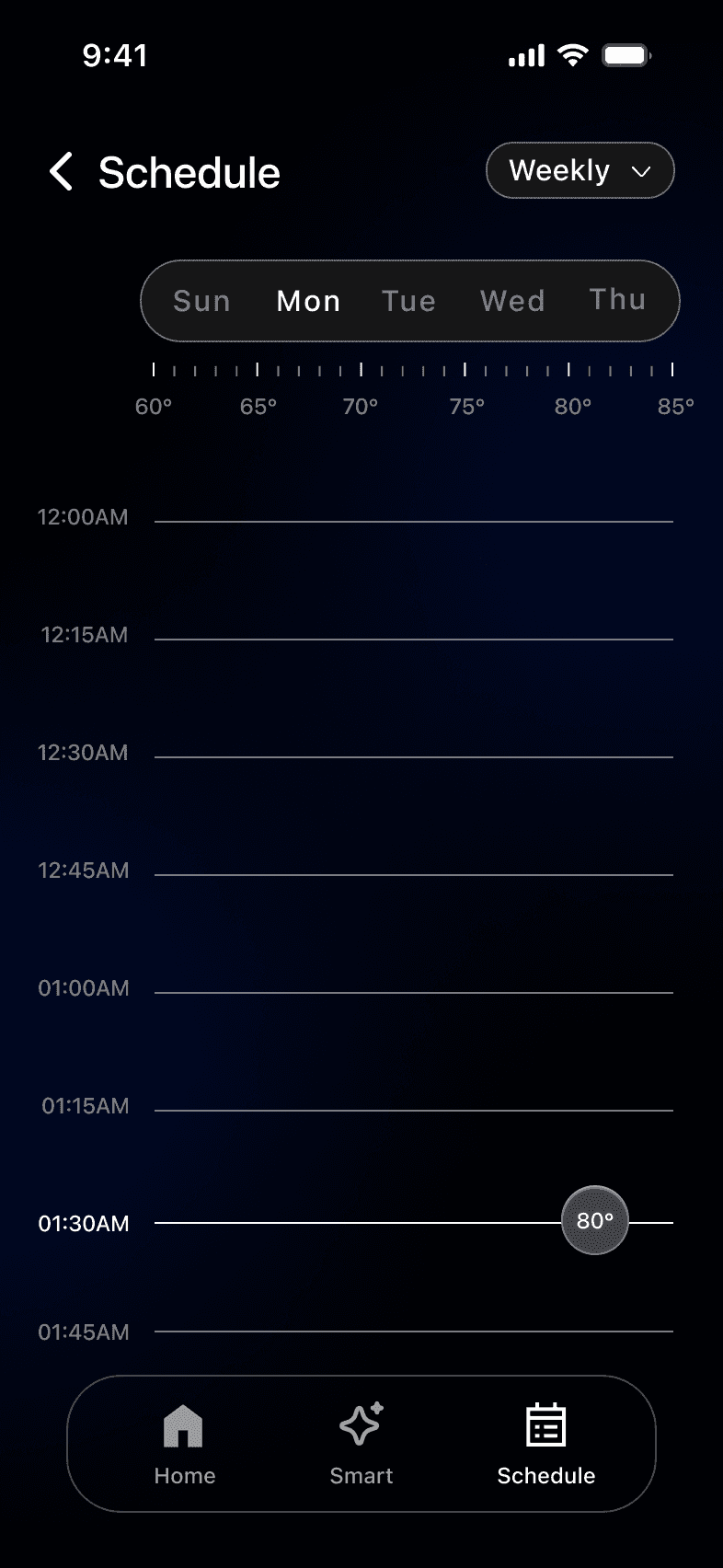
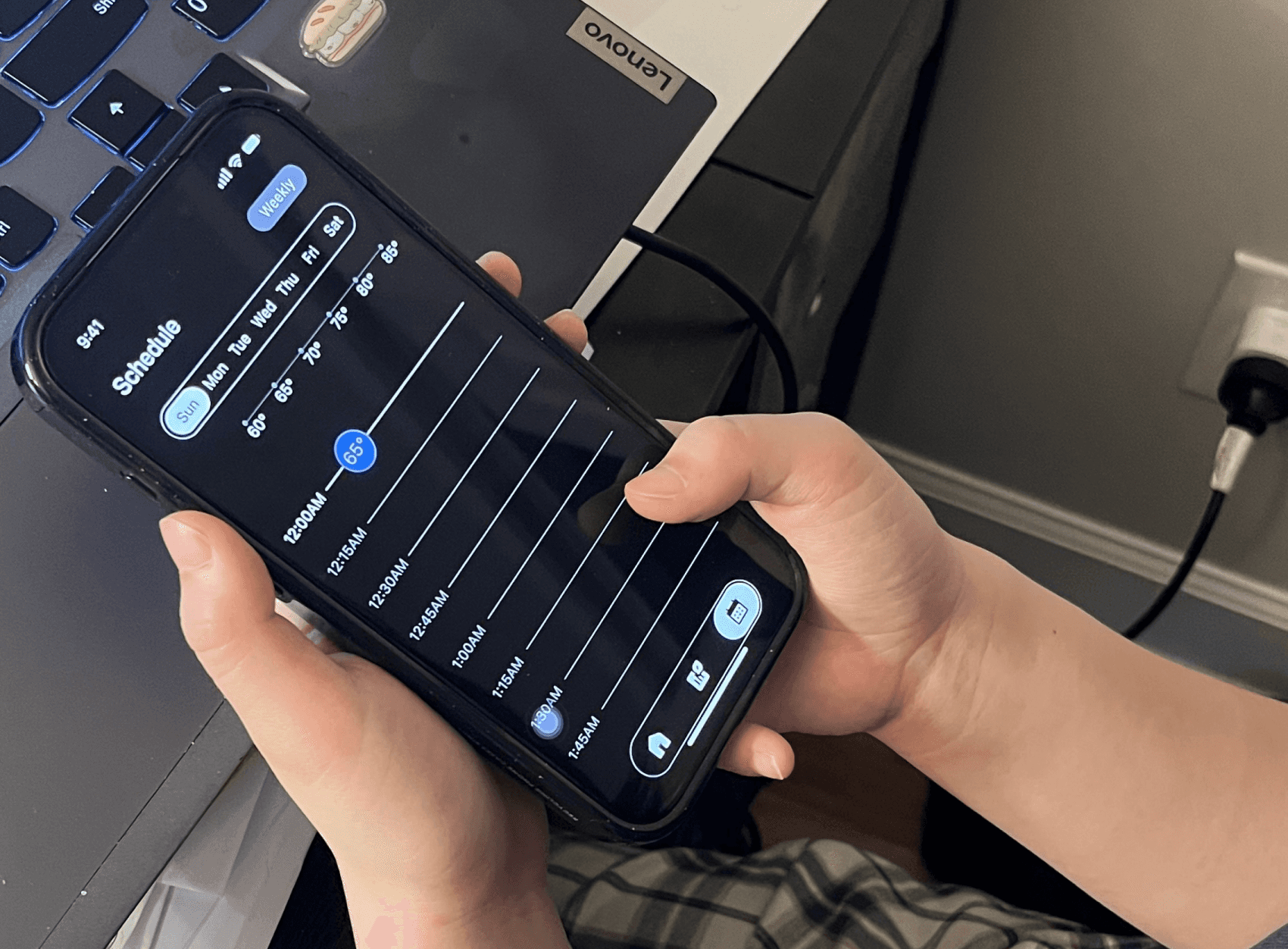
Users can easily review their schedule and adjust temperatures in place. The interface supports quick scanning, immediate feedback, and lightweight interaction, enabling confident, low-effort control.

Thermostat

Editable Schedules


Built-in edit and delete actions allow users to update or remove schedules without rebuilding them.

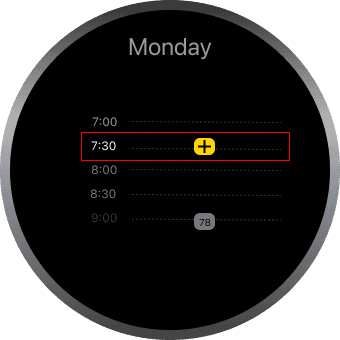
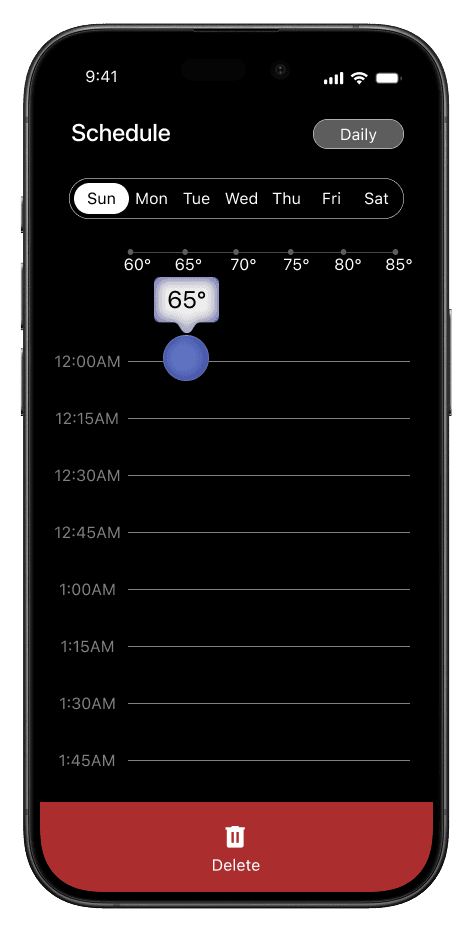
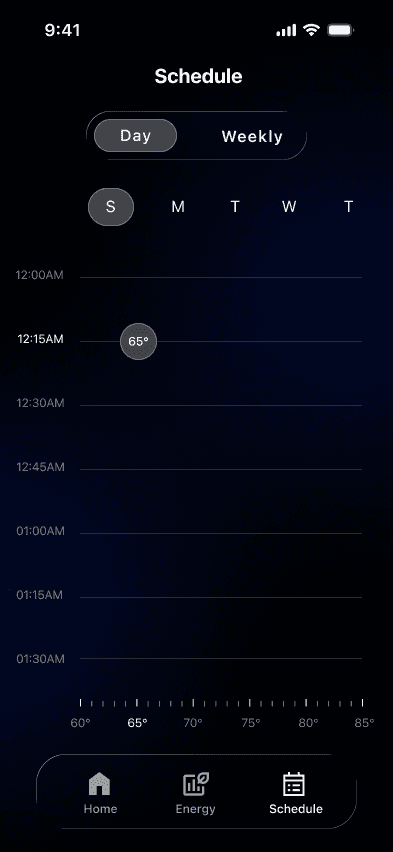
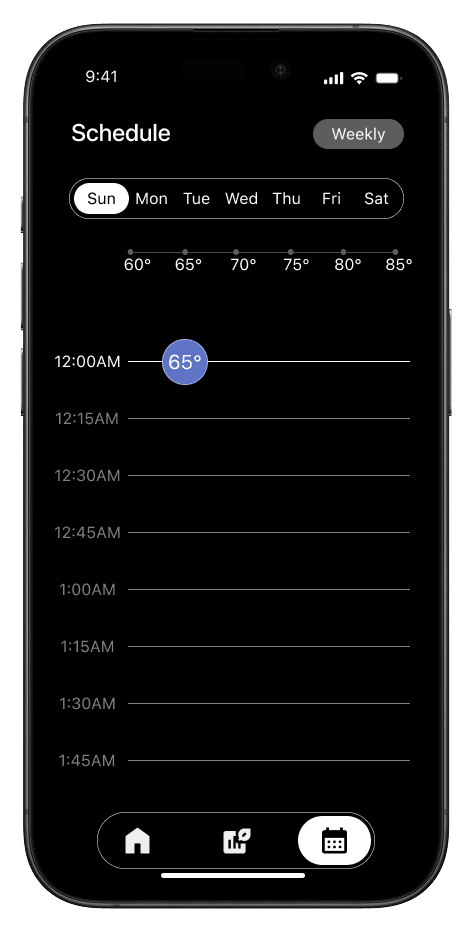
Tap directly on the timeline to place a temperature bubble and drag bubble to adjust

Tap directly on the timeline to place a temperature bubble and drag bubble to adjust

Manage & review all scheduled temperatures and update anytime

Drag the temperature bubble to enter delete mode and remove the entry

Drag the temperature bubble to enter delete mode and remove the entry

Outcome & Impact

The project delivered clear business value by improving efficiency, alignment, and decision clarity.

Within 10 weeks, a 5-member team completed the work with 1,150 total hours, representing an estimated $51,750 in UX value.
By simplifying system logic and reducing ambiguity, the design minimized rework and improved cross-functional collaboration. More importantly, tying design decisions to time, effort, and cost helped reposition UX as a measurable business investment rather than a subjective deliverable.

Team Size

5 Members

Total Hours

1170 hrs

Total Value

$52,650

$32,400

$11,250

Strategy & Decision Making

$9,000

20

20

20

200

720

250

$45/hr

$45/hr

$45/hr

20

20

20

20

72

72

25

Interaction & System Design

Product Ownership & Delivery

Role

HOURS/WEEK

WEEKS

WEEKS

TOTAL HOURS

HOURLY RATE

TOTAL VALUE

Outcome & Impact

The project delivered clear business value by improving efficiency, alignment, and decision clarity.

Within 10 weeks, a 5-member team completed the work with 1,150 total hours, representing an estimated $51,750 in UX value.
By simplifying system logic and reducing ambiguity, the design minimized rework and improved cross-functional collaboration. More importantly, tying design decisions to time, effort, and cost helped reposition UX as a measurable business investment rather than a subjective deliverable.

Team Size

5 Members

Total Hours

1170 hrs

Total Value

$52,650

$32,400

$11,250

Strategy & Decision Making

$9,000

20

20

200

720

250

$45/hr

$45/hr

$45/hr

20

20

72

72

25

Interaction & System Design

Product Ownership & Delivery

Role

HOURS/WEEK

WEEKS

TOTAL HOURS

HOURLY RATE

TOTAL VALUE

Project timeline

Week 01-02

Week 04-05

Week 06

Week 07-08

Week 10

Week 09

Analyze visual identity

Develop Wireframes

Draft & refine concepts

Visual styling & hi-fi prototype

style guide document

Delivery concept

Delivery

Design

Defining

Discovery

Deck Research


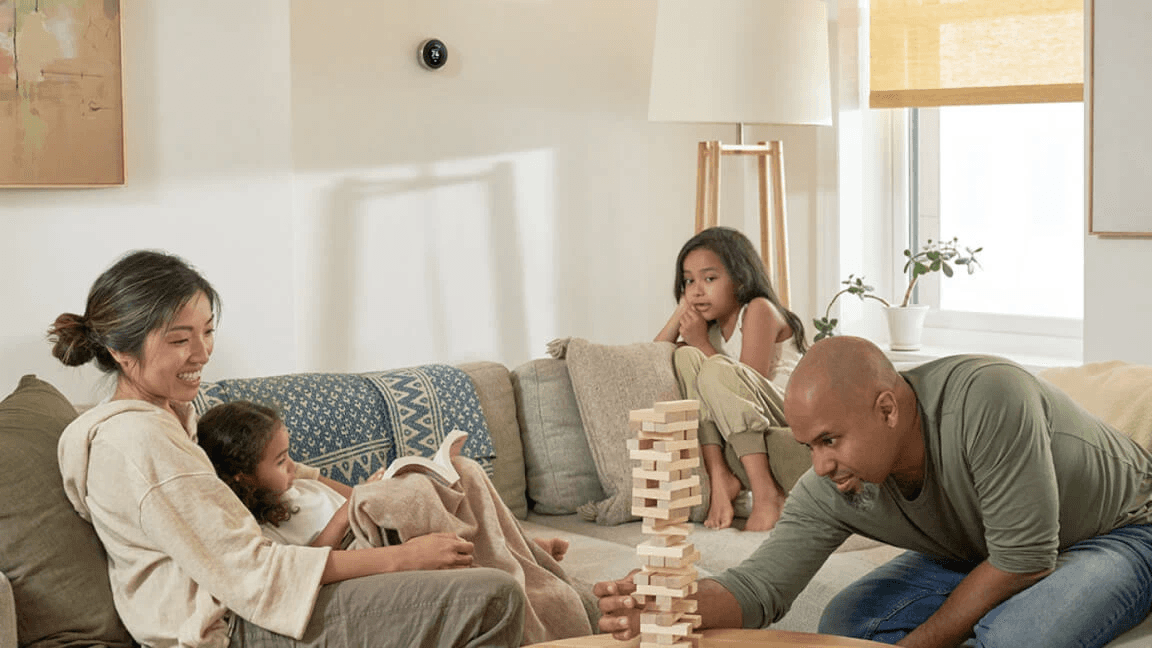
Smart thermostats are positioned as a core entry point into the smart home ecosystem, offering automation, energy efficiency, and convenient climate control. However, current Nest scheduling experiences reveal significant usability gaps that prevent users from confidently managing their temperature routines, leading to low engagement and underutilization.

89%

of programmable thermostat owners rarely or never use scheduling.
— Meier et al., ACEEE (2010)
40%

of users skip thermostat scheduling interfaces entirely because they are cumbersome or difficult to use.
— Consumer Reports

of users completely skip scheduling features due to usability barriers.
— Consumer Reports
70%

neog23

from reddit

“I don’t even see a schedule button anymore. The app is confusing.”

“Google Home isn’t intuitive at all. Finding schedule settings is painful.”
rednax208

from reddit

“I have to tap into each day and drag tiny dots for times/temps, it needs so much patience.”

chewydickens

from reddit

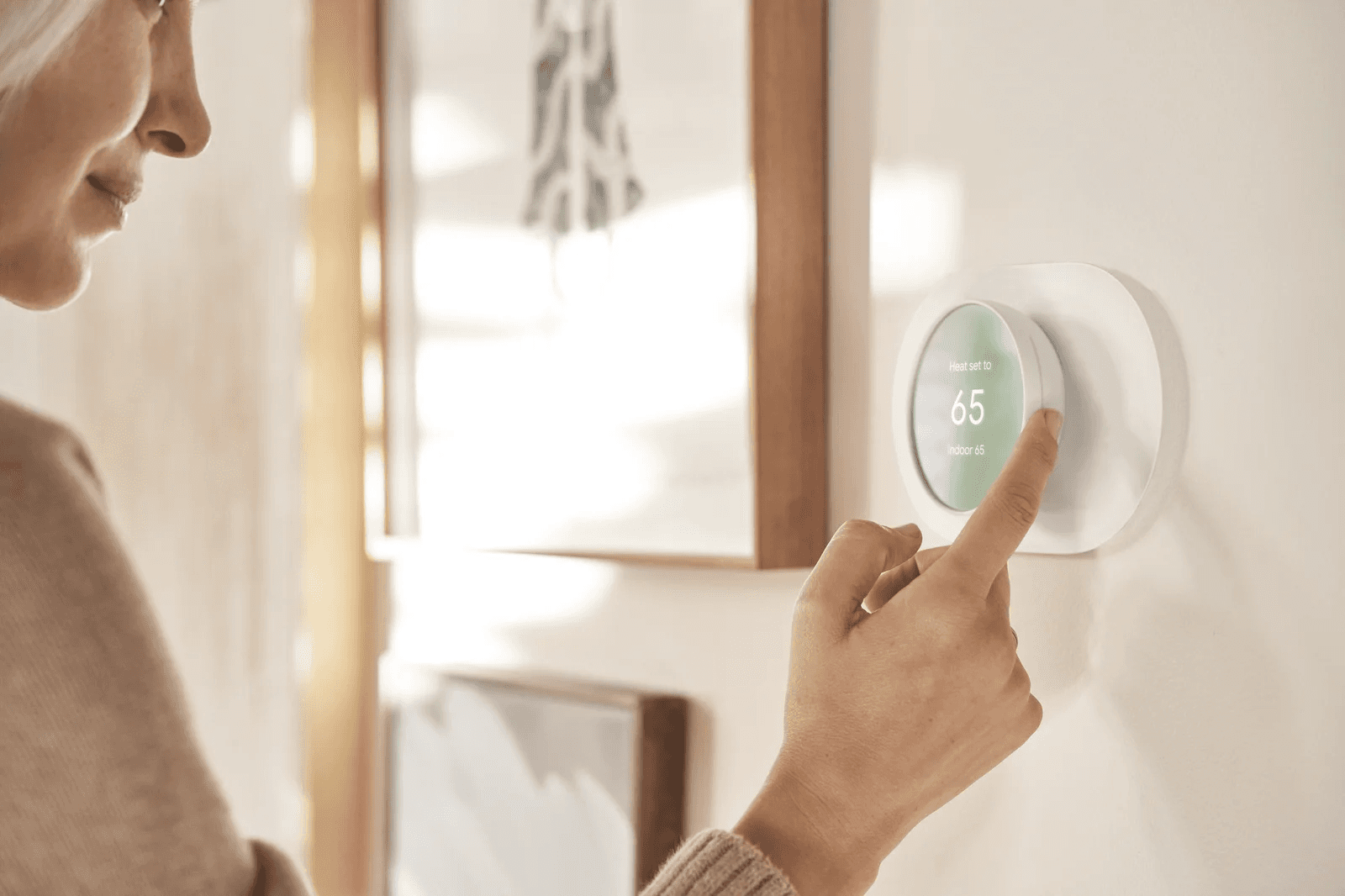
Reddit users frequently report that Nest scheduling is hard to configure, unintuitive, or missing in the app, highlighting real-world UX frustration with editing and reviewing schedules. Current frustration with scheduling isn’t just a small annoyance, it directly undermines the core value proposition of smart thermostats (comfort + energy savings).

Market value


The global smart thermostat market is experiencing rapid growth, driven by:

Smart Home Adoption

Intelligent Climate Control Demand

Connected IoT Ecosystems

Design-Forward Living

In the U.S., current smart thermostat adoption stands at approximately 16–17% of internet households, signaling substantial untapped market potential. Among recent buyers, Google Nest and Honeywell Home lead brand preference, reflecting strong brand loyalty while underscoring intensifying competition centered on ecosystem integration, software experience, and premium user interaction design.

2030

2020

2010

2024

$3.5B

<$1B

$4.99B

$13–30B

*Source: Parks Associates, Grand View Research

The global smart thermostat market size was estimated at $ 4.99 billion in 2024 and is projected to reach $ 13.35 billion by 2030, growing at a CAGR of 18.5% from 2025 to 2030.

*Grand View Research — Smart Thermostat Market Size & Forecast

The global smart thermostat market size was estimated at $ 4.99 billion in 2024 and is projected to reach $ 13.35 billion by 2030, growing at a CAGR of 18.5% from 2025 to 2030.

Information Architecture


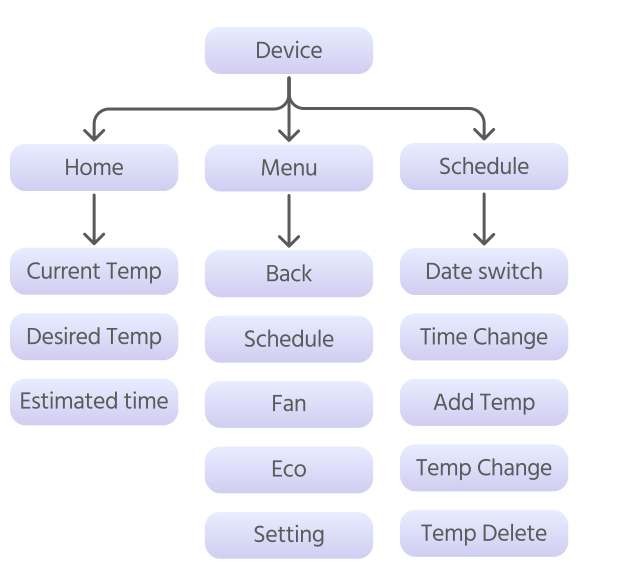
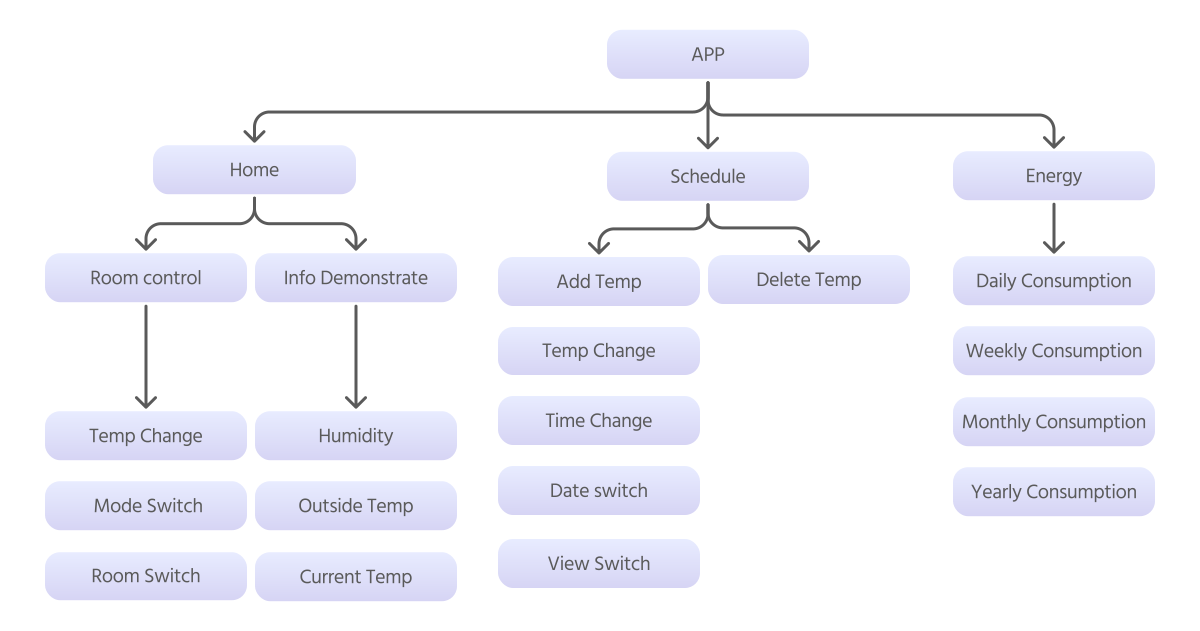
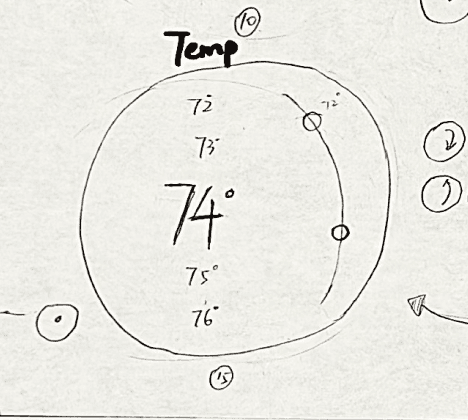
After conducting user research and competitive analysis on Google Nest Thermostat, I synthesized key insights to restructure the information architecture, clarifying system hierarchy and improving navigation across scheduling, temperature control, and settings.

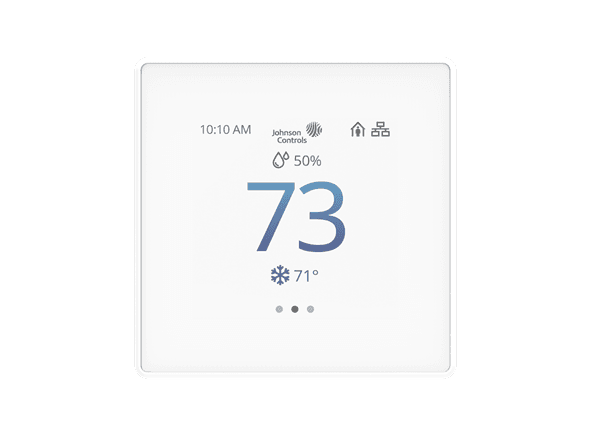
Competitive analysis

Instant Temperature Adjustment

High-end & Innovative Style

Intuitive Scheduling Flow

Flexible Schedule Editing

Clear Time–Temperature Mapping

Johnson Controls

Feature

Honeywell T10

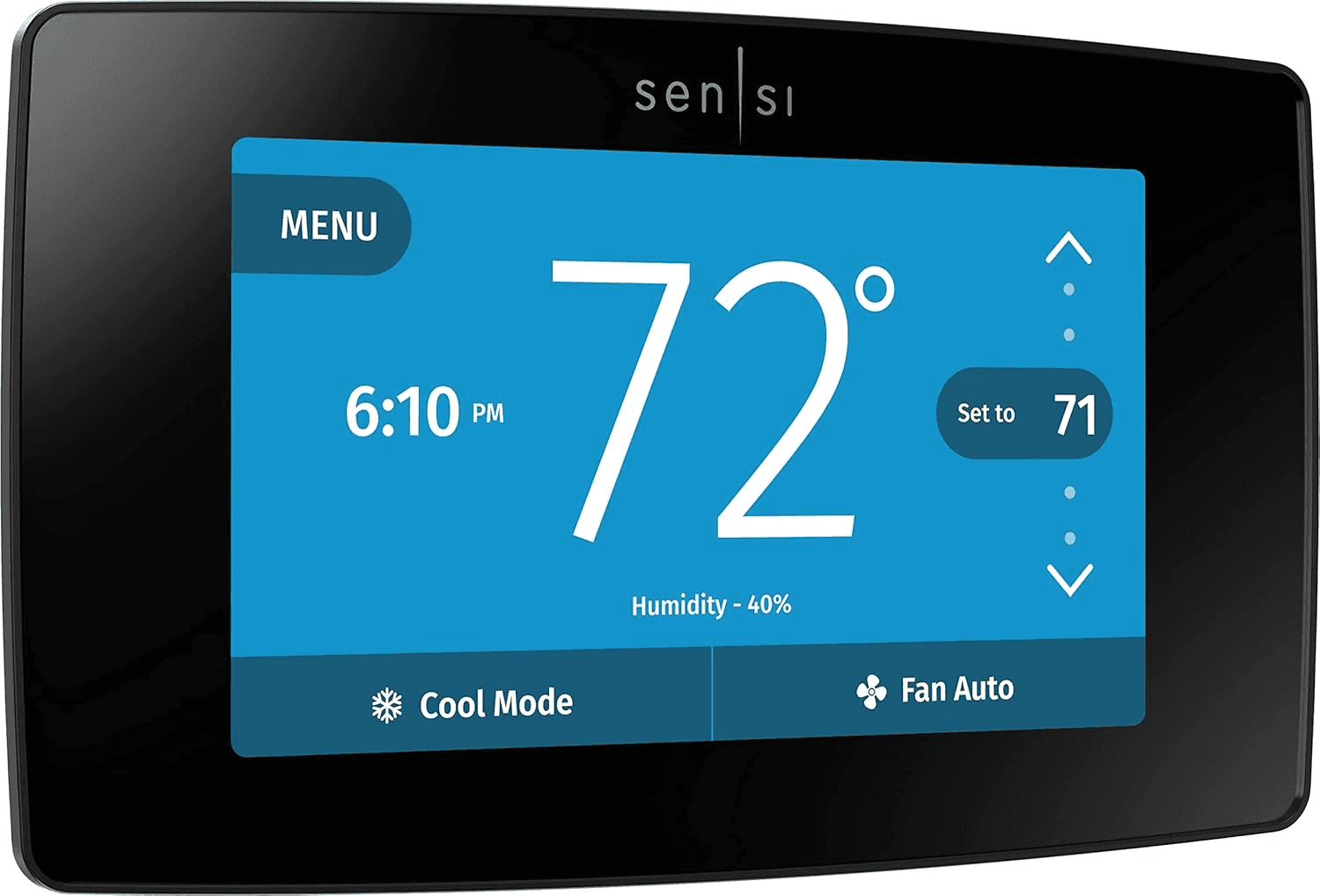
Emerson Sensi

- Clean

- Utilitarian

- Multi-step process

- Hard to preview

- Heavy

- Fragmented

- Weak connection between time and temperature

- Quick access

- UI feels dense

- Direct controls

- Basic feedback

- Traditional

- Conservative

- Linear setup

- Limited overview

- Requires navigating multiple screens

- Minimal visual hierarchy

- Smooth touch interaction

- Modern hardware

- simple UI

- Relatively straightforward

- Easier edits

- Limited logic

- Basic mapping

- lacks timeline view

- Functional

- enterprise-style control

- Industrial aesthetic

- not consumer-focused

- Complex

- technical

- Not designed for frequent changes

- No clear consumer-friendly visualization
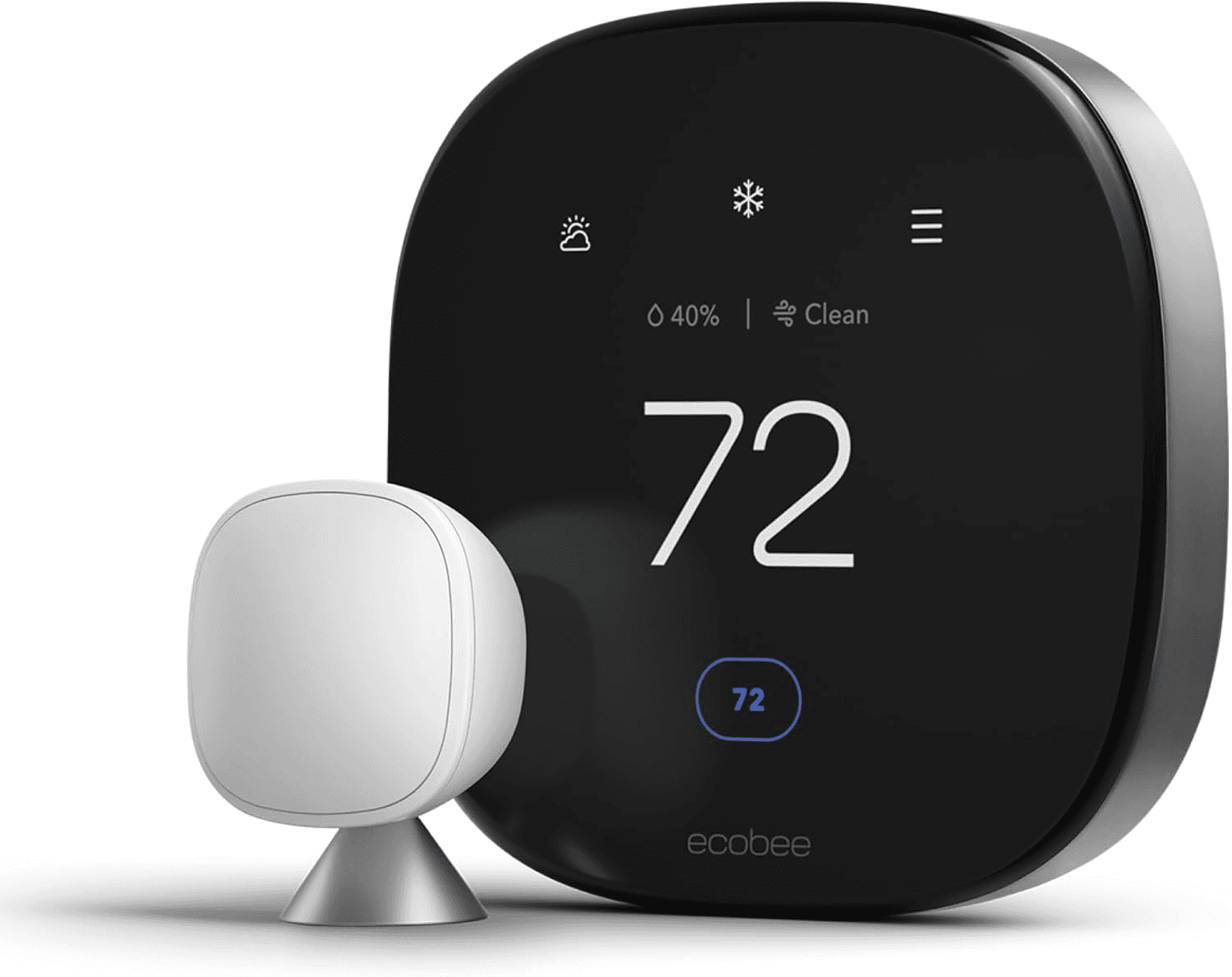
Ecobee

What competitors do well


  1. Offer functional and straightforward interaction patterns that require little learning.

  2. Support basic scheduling setup across platforms.

  3. Maintain relatively clean layouts focused on core thermostat operations.

Where competitors fall short


  1. Scheduling flows feel fragmented and require multiple steps, making plans hard to preview.

  2. Visual design lacks a premium, design-forward experience.

  3. Time–temperature relationships are unclear, with weak visual hierarchy.

User persona

Jason Park, 27 years old

“As a user, I want fast, simple control so I can adjust my schedule in seconds and move on with my day.”

Bio

Jason has a busy lifestyle and irregular daily routines. He relies on smart devices to simplify his life, but avoids features that feel complicated or slow. He prefers minimal steps, immediate feedback, and interfaces that clearly show what’s happening.


Pain Points

  • Tiny controls and scattered editing actions feel inefficient.

  • No clear overview of current vs future temperatures.

  • Scheduling takes too long, so he often skips it entirely.


Needs

  • Streamlined flow with minimal interaction steps.

  • Clear visual hierarchy and real-time temperature feedback.

  • Quick access to add, edit, or delete schedules.

  • Simple, glanceable overview of daily routines.


Goals

  • Spend less time configuring settings.

  • Feel that the system is smart, responsive, and reliable.

Bio

Emma lives in a high-end apartment and values aesthetics, comfort, and efficiency in her daily life. She enjoys smart home products but prefers experiences that feel visually refined and cognitively light. She expects her devices to feel premium, intuitive, and effortless, supporting her routines without demanding attention.


Pain Points

  • Visual style feels outdated and not aligned with her modern interior.

  • Too many steps to adjust or edit schedules.


Needs

  • A clean, modern device interface that matches her home aesthetic.

  • Clear temperature feedback and simple scheduling logic.

  • Seamless experience across thermostat device and mobile app..


Goals

  • Feel confident and in control of her climate settings.

  • Enjoy a premium, design-forward smart home experience.

Emma Ponder, 34 years old

“As a user, I want a clear and elegant way to manage my home temperature without thinking too much about the system.”

User persona

Jason Park, 27 years old

“As a user, I want fast, simple control so I can adjust my schedule in seconds and move on with my day.”

Bio

Jason has a busy lifestyle and irregular daily routines. He relies on smart devices to simplify his life, but avoids features that feel complicated or slow. He prefers minimal steps, immediate feedback, and interfaces that clearly show what’s happening.


Pain Points

  • Tiny controls and scattered editing actions feel inefficient.

  • No clear overview of current vs future temperatures.

  • Scheduling takes too long, so he often skips it entirely.


Needs

  • Streamlined flow with minimal interaction steps.

  • Clear visual hierarchy and real-time temperature feedback.

  • Quick access to add, edit, or delete schedules.

  • Simple, glanceable overview of daily routines.


Goals

  • Spend less time configuring settings.

  • Feel that the system is smart, responsive, and reliable.

Bio

Emma lives in a high-end apartment and values aesthetics, comfort, and efficiency in her daily life. She enjoys smart home products but prefers experiences that feel visually refined and cognitively light. She expects her devices to feel premium, intuitive, and effortless, supporting her routines without demanding attention.


Pain Points

  • Visual style feels outdated and not aligned with her modern interior.

  • Too many steps to adjust or edit schedules.


Needs

  • A clean, modern device interface that matches her home aesthetic.

  • Clear temperature feedback and simple scheduling logic.

  • Seamless experience across thermostat device and mobile app..


Goals

  • Feel confident and in control of her climate settings.

  • Enjoy a premium, design-forward smart home experience.

Bio

Emma lives in a high-end apartment and values aesthetics, comfort, and efficiency in her daily life. She enjoys smart home products but prefers experiences that feel visually refined and cognitively light. She expects her devices to feel premium, intuitive, and effortless, supporting her routines without demanding attention.


Pain Points

  • Visual style feels outdated and not aligned with her modern interior.

  • Too many steps to adjust or edit schedules.


Needs

  • A clean, modern device interface that matches her home aesthetic.

  • Clear temperature feedback and simple scheduling logic.

  • Seamless experience across thermostat device and mobile app..


Goals

  • Feel confident and in control of her climate settings.

  • Enjoy a premium, design-forward smart home experience.

Emma Ponder, 34 years old

“As a user, I want a clear and elegant way to manage my home temperature without thinking too much about the system.”

Information Architecture


After conducting user research and competitive analysis on Google Nest Thermostat, I synthesized key insights to restructure the information architecture, clarifying system hierarchy and improving navigation across scheduling, temperature control, and settings.

Mood board

#High-end

#Innovative

Analysis process


Collected over 480 images

Narrow to 60 representative examples.

Analyze data in a spreadsheet to find key traits that define “high-end” and “innovative.”


UI card border

(Round=0 Small round=2 Medium round=3 Sharp=1)

Total=29 - 1=9; 2=13; 3=4; 0=0

Sharp or small round

Ctiteria

Result

HE-1

HE-2

HE-3

HE-4

HE-5

HE-6

HE-7

Primary color for UI

Total 32 - Blue 19; Purple 5; Gray 2; Yellow 6; Light Brown 1; Red 1

/

blue 3

gray

black; gray;white

black; white

Dark blue 3

0

0

1

0

0

0

1

1

1

3

3

0

0

1

3

1

3

0

5

0

2

0

0

2

1

1

1

1

2

2

2

/

/

/

/

/

/

0

/

/

2; black vs blue

2; black vs blue

2; black vs blue

/

/

/

/

web 5

web 3

web 3

web 4

1

2

0

/

3

2

Warm=7; Nature=13; Cold=40

Cold Temperature Color =66%

Total=43 - 0=31; 1=13

Dark theme=69.8%

0=20; 2=2; 3=2

Round Bottom Boarder

Total=39; 3=30; 2=8; 1=2

Bold=76%

Total=49; Color contrast level 2=39=79.6%; 1=10; 0=2; have strong color contrast 79.6%

Total=41; 5=5; 4=3; 2=3; 3=30

Colum=3=73%

Total=60; 1=56=93.33%; 0=4

Have strong focus point=93%

1

2

3

4

5

6

7

8

Color temp

(Warm=2 Medium=1 Color=0)

Background color

(Light theme=1 Dark theme=0)

UI bottom border

(Round=0 Small round=2 Medium round=3 Sharp=1

Title font weight in UI

(Thin=1 Regular=2 Bold=3)

Contrast for the color

(Strong=2 Nature=1 Less=0) and which two colors are the most contrast

Colum number of design

(need mention web or app)

Focus

(have a strong focus point=1 or not=0)

9

Spreadsheet analysis translated moodboard impressions into measurable traits, defining a data-driven visual direction. These directives guided layout, color, and interaction throughout the redesign.

Spreadsheet analysis translated moodboard impressions into measurable traits, defining a data-driven visual direction. These directives guided layout, color, and interaction throughout the redesign.

Use Blue as Primary Color

Use Blue as Primary Color

5

Strong Focus Point

Strong Focus Point

1

Strong Color contrast

Strong Color contrast

2

Use Bold Font for Title

3

Use Cool Colors

Use Cool Colors

4

3

Use Bold Font for Title

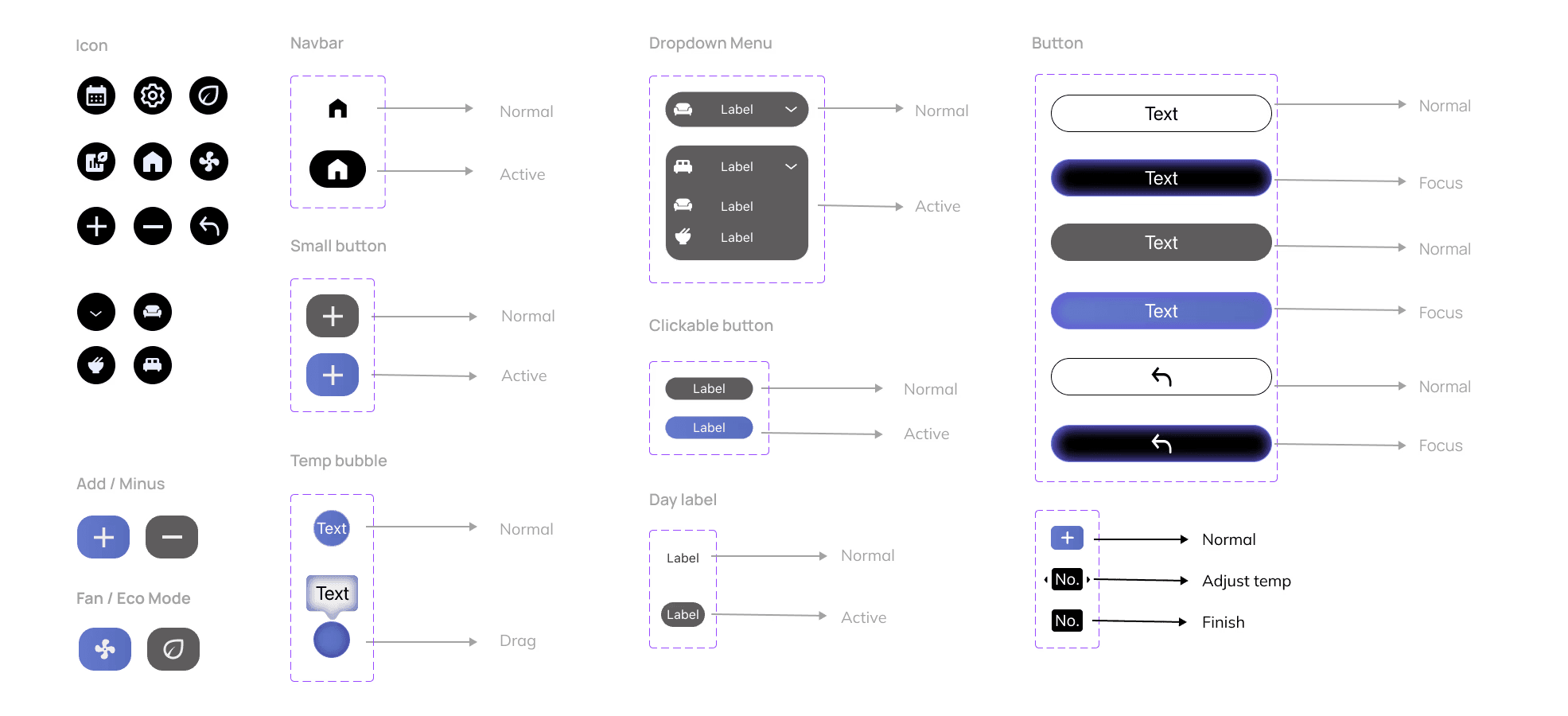
Design system

Primary

/

#000000

Secondary

/

#9FB5E9

Supporting color

#586DBD

#EFEFEF

#B1B1B1

#FFFFFF

#5E5C5C

#C22323

Supporting color

Supporting color

SF Pro

Designed by Apple Inc.

Font size

Font weight

Name

Headline1

Headline 2

Body

110 px

Semibold

36 px

24 px

Medium

Regular

Typography - Thermostat

Regular

16 px

Regular

16 px

Regular

16 px

Regular

16 px

SF Pro

Designed by Apple Inc.

Font size

Font weight

Name

Headline1

Headline 2

Body1

110 px

Semibold

24 px

24 px

Regular

Regular

Typography - APP

Body2

Button Label

Navigation Title

Tag Label
Component library

Iterative Design Process

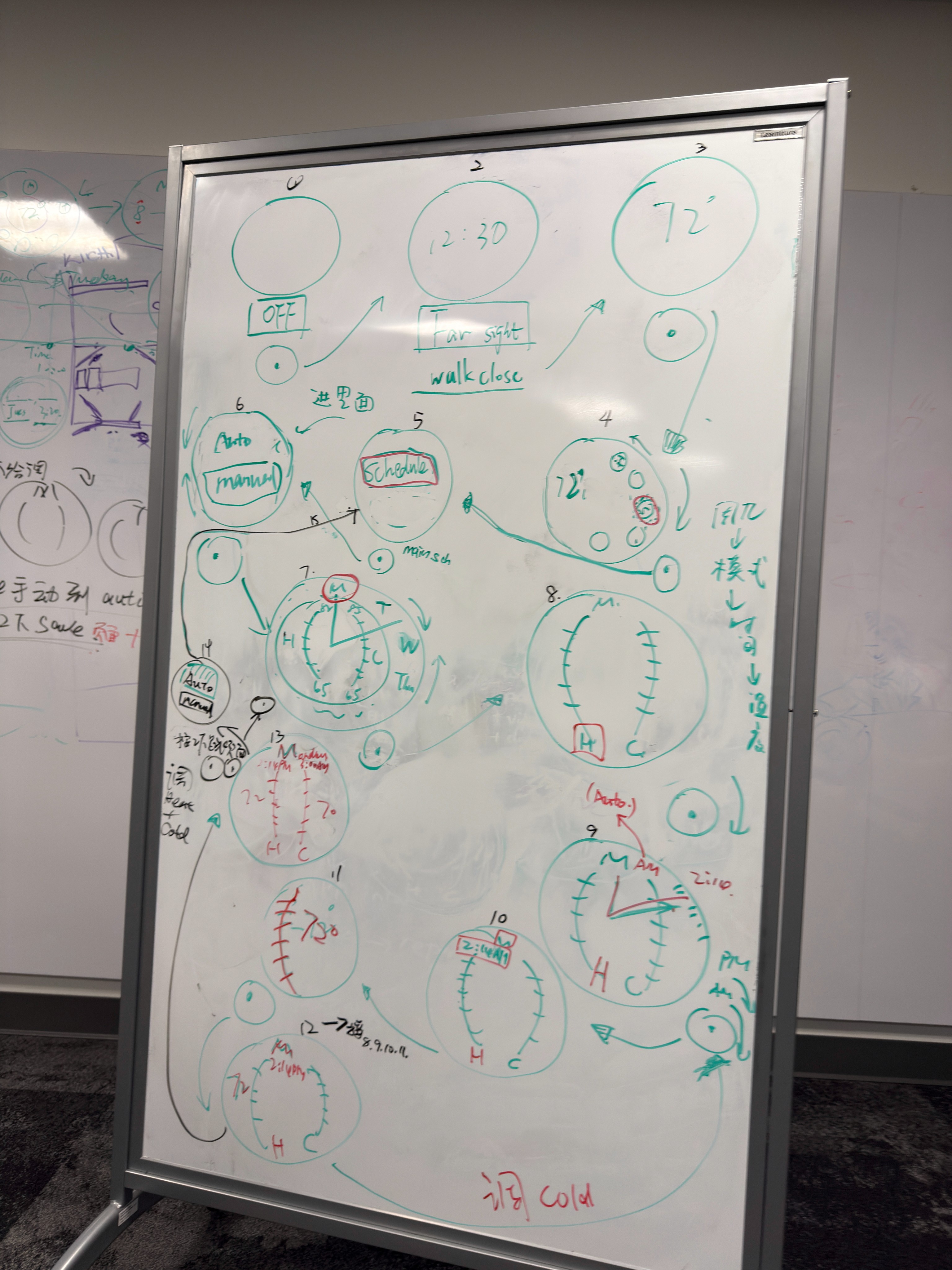
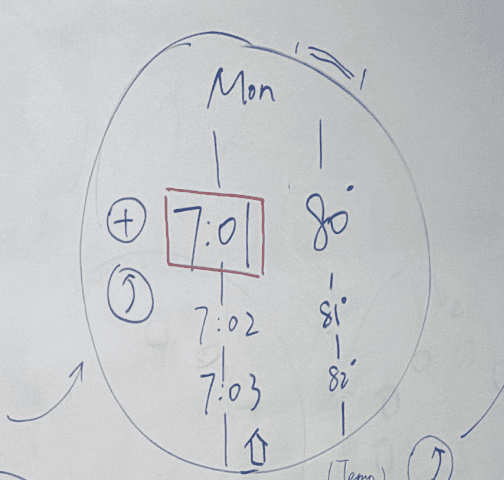
From visual-led to user-centered design

From visual-led to user-centered design

2

From manual setup to intelligent automation

From repetitive actions to smart flows

From repetitive actions to smart flows

3

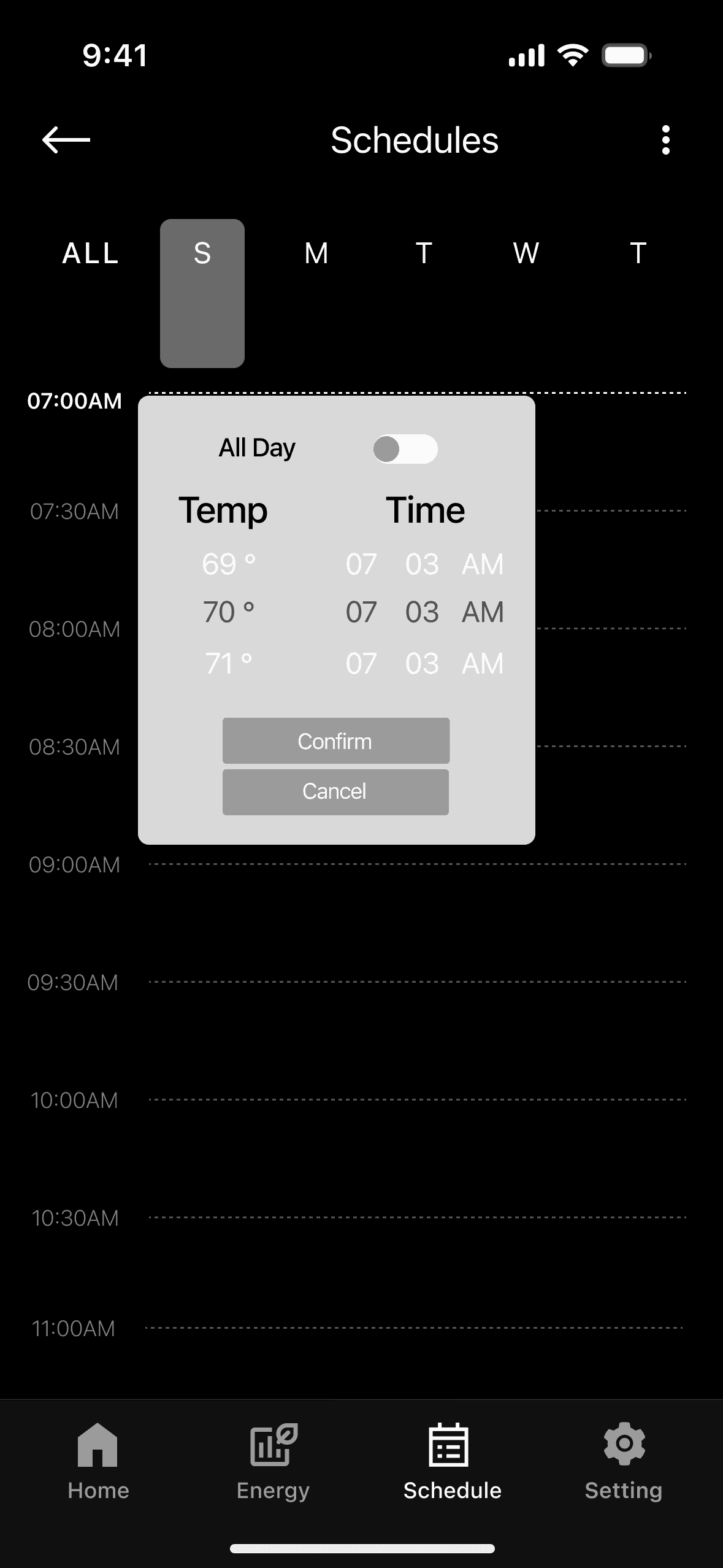
Top-aligned temperature bar improves clarity

Top-aligned temperature bar improves clarity

4

1

2

From manual setup to intelligent automation

Refined over


10 Weeks

Design iterations


9 Versions

User testing

Average sus score

Highest participant score

85.0

Lowest participant score

62.5

Within the Good-Excellent usabiliyu range

76.8 / 100

Excellent (85+)

Good (70-85)

Acceptable (50-70)
Poor (0-50)

Task-based prototype usability test (redesigned prototype)

Method


Participants

Students from undergraduate to graduate, with different frequency of using Google Thermostat

Tasks


Add a schedule entry and manage existing entries (edit / delete)

Feedbacks

I feel more in control of my schedule. The interactions are intuitive and don’t require much thinking.

I feel more in control of my schedule. The interactions are intuitive and don’t require much thinking.

It’s convenient to plan routines, especially for weekends and daily adjustments.

The interface feels clean and high-end, bold blocks and refined colors help me quickly understand what to do.

OVERVIEW

DELIVERY

RESEARCH

DEVELOPMENT

Project Summary & Reflection

Next Steps

This project challenged me to design within strict hardware constraints, prioritizing logic, hierarchy, and intuitive interaction over visual decoration. Through iteration, I simplified complex system rules until interactions matched users’ natural expectations, making the experience feel obvious rather than explained.

I also learned that clarity builds trust. By refining logic and framing outcomes in business terms, the design improved alignment, confidence, and demonstrated impact beyond the interface.

If given more time and resources, the next phase would validate the redesigned system in real home environments through longitudinal usability testing, focusing on:

  • How users adapt to daily temperature control and scheduling over time

  • Whether visual hierarchy supports faster decision-making in real contexts


These insights would guide continued iteration of interaction details and overall system clarity.

Project Summary & Reflection

Next Steps

This project challenged me to design within strict hardware constraints, prioritizing logic, hierarchy, and intuitive interaction over visual decoration. Through iteration, I simplified complex system rules until interactions matched users’ natural expectations, making the experience feel obvious rather than explained.

I also learned that clarity builds trust. By refining logic and framing outcomes in business terms, the design improved alignment, confidence, and demonstrated impact beyond the interface.

If given more time and resources, the next phase would validate the redesigned system in real home environments through longitudinal usability testing, focusing on:

  • How users adapt to daily temperature control and scheduling over time

  • Whether visual hierarchy supports faster decision-making in real contexts


These insights would guide continued iteration of interaction details and overall system clarity.

Project Summary & Reflection

Next Steps

This project challenged me to design within strict hardware constraints, prioritizing logic, hierarchy, and intuitive interaction over visual decoration. Through iteration, I simplified complex system rules until interactions matched users’ natural expectations, making the experience feel obvious rather than explained.

I also learned that clarity builds trust. By refining logic and framing outcomes in business terms, the design improved alignment, confidence, and demonstrated impact beyond the interface.

If given more time and resources, the next phase would validate the redesigned system in real home environments through longitudinal usability testing, focusing on:

  • How users adapt to daily temperature control and scheduling over time

  • Whether visual hierarchy supports faster decision-making in real contexts


These insights would guide continued iteration of interaction details and overall system clarity.

2026 © Yiwen Huang

All rights reserved © 2026

Create a free website with Framer, the website builder loved by startups, designers and agencies.